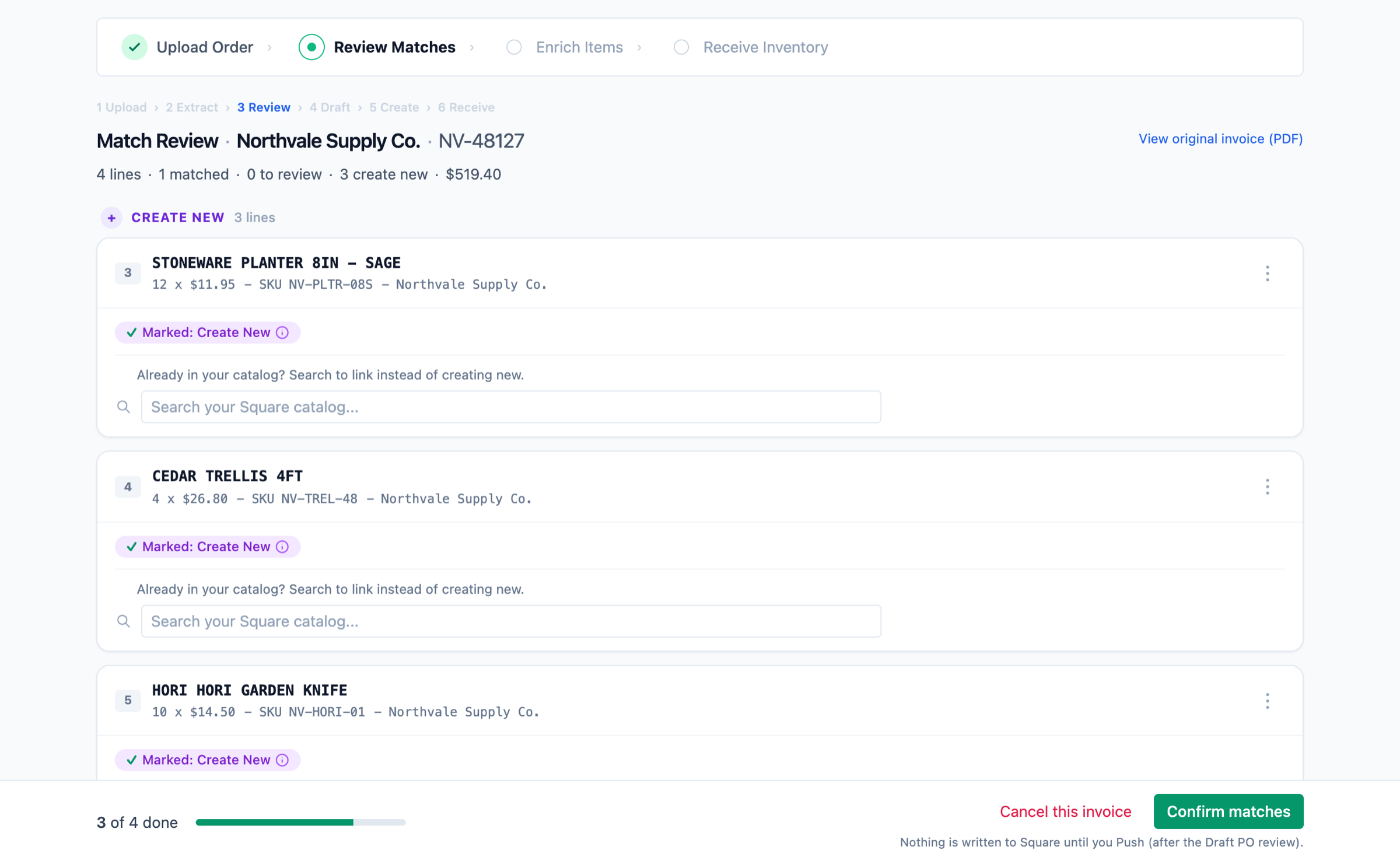
Send the vendor's invoice and every product that is not in your catalog yet comes back ready to create, with the cost and the SKU already on it. You pick the category and the price, approve, and they are in Square. No scanning them in one at a time.
A Square purchase order is built from your existing catalog, so a product that is not in there yet cannot go on it. Which means the work happens before the purchase order, one item at a time: scan a barcode, type the name, pick the category, set the price, enter the quantity and the cost, and repeat. At a few hundred new items a week that is most of a day, every week. Sending the invoice skips all of it.
A product you have never stocked is the ordinary case here, not an exception you handle by hand. Here is the whole job.
A PDF, a photo of the paper copy, or a CSV. Whatever the vendor sent, as it came. No renaming columns, no converting anything first.
Every line is checked against your Square catalog. Anything that is not in there yet arrives with create-new already chosen, so the new ones are the normal case rather than the exception. You are confirming a decision, not making one for every row.
You choose the category and the shelf price on the line, not in a spreadsheet column. The vendor's cost and the vendor's name come off the invoice with the line, so what you paid stays attached to the item instead of living in a folder of PDFs.
Nothing is written to Square until you approve it. When the boxes land, enter what actually arrived and your counts update from that, not from what the invoice promised.
An invoice tells us what you paid. It does not tell us what you sell it for, and no multiplier is going to know that for your shop. So the shelf price is yours: you set it, and a price you do not set is not written.
The same rule covers the rest of it. Reading your catalog is all Fireworks does until you approve something. Nothing is created, nothing is repriced, and nothing is received until you have looked at the line and said yes.
One price, however many invoices you send and however many new products are on them. No charge per purchase order, no per-document fee and no line caps, so you never stop to work out whether a small delivery is worth putting through.
Connect Square to start your trialNo card required to start your 14-day free trial. Cancel inside it and you are not charged.
Take the next delivery, send the invoice as it arrived, and see how much of it is already done before you touch a row.
Connect Square to start your trialNo card required to start your 14-day free trial. Works with any Square plan, including the free one.