Receive inventory from a
PDF invoice in Square.

Square cannot read a vendor invoice. Fireworks reads the PDF, matches every product to your Square catalog, and checks in what actually arrived.

Connect Square to start your trial No card to start. $10/month for your first 3 months from signup, then $79/month.
Looking for Square Invoices? That is the invoices you send your customers. This page is about the other direction: the invoice your vendor sends you, and the stock that turns up with it.

How shops do this today

Square has no way to read a vendor invoice, so there are three routes and two of them are manual.

1. Count the box, then type it in

Open the invoice, open Square, and enter every product, quantity and cost by hand. A thirty line delivery is an hour, and one mistyped number is a stock count that is wrong until somebody notices at the register.

2. The spreadsheet route

Pull the PDF into Excel with Get Data, From PDF. Clean up the columns to match Square's template, save as CSV, and import. This is the route the Square community recommends and it costs nothing. It gets your products into the catalog. It does not receive anything. The spreadsheet says what your vendor shipped, not what arrived, so you still count the carton and still fix the difference by hand. It also cannot read a photo of a paper invoice.

3. Fireworks

Send the invoice the way your vendor sent it. Every product is matched to your Square catalog. When the box arrives you enter what came in, including anything short or damaged, and Square updates from the counted number.

Receiving is not importing.

An import tells Square what your vendor said they were sending. Receiving tells Square what is on your shelf. The gap between those two numbers is every short shipment, every broken jar and every substitution your vendor made without telling you.

Fireworks closes it on the spot. You check in the carton against the invoice it came with, and the count that reaches Square is the one you actually have.

If what you need first is the catalog half, getting the products themselves into Square, that is a different job and it has its own page: importing a vendor invoice into your Square catalog.

Three steps

1

Upload

A PDF, a photo of the paper invoice, or a CSV. Whatever your vendor sent.

2

Review

The proprietary matching engine reads every product and finds it in your Square catalog. Items you have received before match instantly, because Fireworks remembers what you decided last time. New items are one click.

3

Receive

When the box arrives, open the order and enter what came in, including anything short or damaged. Your Square counts update on the spot.
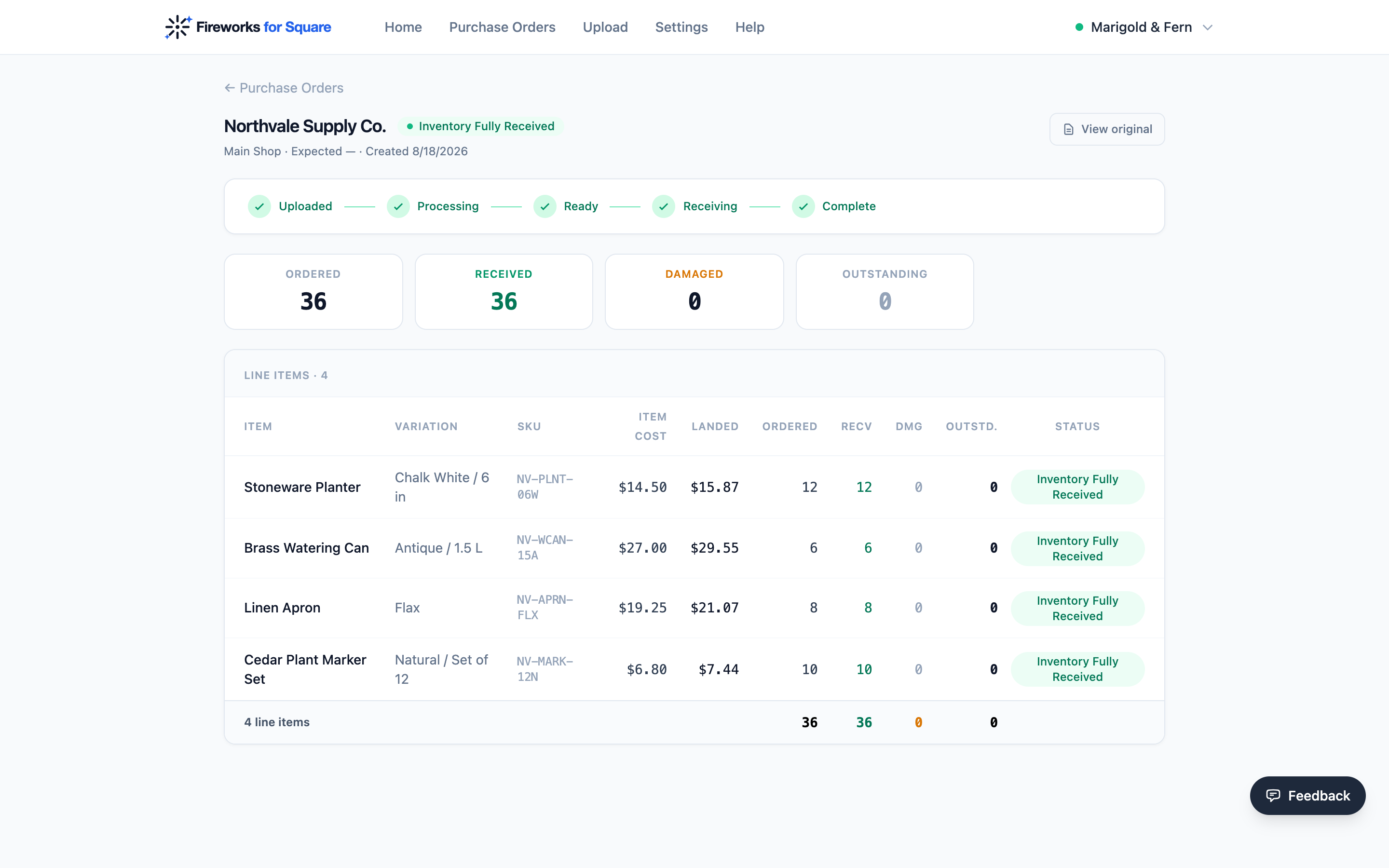
A received order: every item counted in, with item cost and landed cost recorded

See the whole flow, screen by screen →

If you run a restaurant, Square's MarketMan partnership covers invoice scanning for food service. For retail, Fireworks is the only app built specifically for this.

Questions

Can Square read a PDF invoice?
No. Square's imports accept CSV and Excel. A PDF has to be converted first, which is why the spreadsheet route exists.
Does this work with a photo of a paper invoice?
Yes. Photograph it on the counter and send that.
What happens when the delivery is short?
You enter what actually arrived and mark anything short or damaged. Square updates from that number, not from the invoice.
Do I need Square Plus or Premium?
No. Fireworks works with every Square plan, including the free one.
Does Fireworks change my Square catalog without asking?
No. You review every match and approve it. Nothing reaches your Square catalog until you push it.

Stop paying for data entry.

Every receipt you check in is remembered, with what you actually paid. Your costs stop being a number you typed once and start being a history.

Connect Square to start your trial

Works with any Square plan, including the free one.