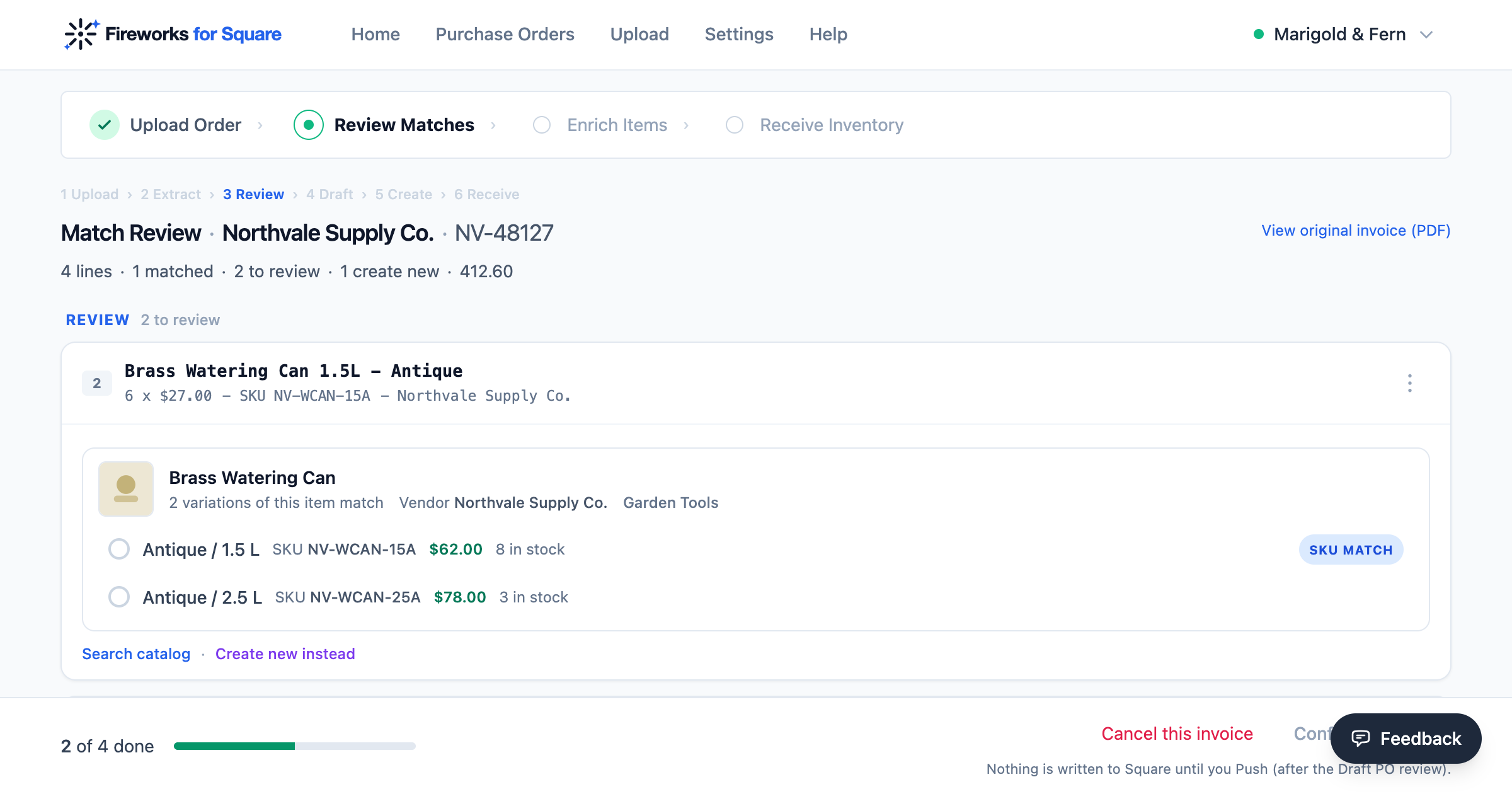
Send the invoice exactly as your vendor sent it. Every product comes back matched to your own Square catalog with what you paid already on it, ready for you to approve. No OCR tool, no CSV, no spreadsheet in between.
Not a file to clean up. The three things you were about to spend the evening producing.
Every line is looked up in your Square catalog, so a product you have bought before is matched without you touching it. What you decide about the rest is remembered, so the same vendor's next invoice is mostly done before you open it.
Quantity, SKU, pack size and unit cost come off the invoice and stay on the item. Your margin stops being a number you typed once and becomes a record of what this product has actually cost you, delivery after delivery.
When the boxes land you enter what actually turned up, including anything short or damaged, and Square updates from that number rather than from what the invoice promised. No reconciling later.
Because OCR stops where the work starts. It hands you the words off the page, and you are still the one deciding which of them is a product name, which is a quantity, which is a cost, and which rows are subtotal and tax. Then you build a CSV in the shape Square wants, and you do it again next month in a different shape for a different vendor.
And even then the CSV has your vendor's words in it, not yours. A row reading STONEWARE PLNTR 8IN SAGE still has to become the item you already sell, or a new one, and no spreadsheet can make that call for you. Fireworks reads the document as an invoice and carries it the whole way, to a list of your own products waiting for a yes.
One price, however many invoices you send and however many lines are on them. No charge per purchase order, no per-document fee and no line caps, so you never stop to work out whether a small delivery is worth putting through.
Connect Square to start your trialNo card required to start your 14-day free trial. Cancel inside it and you are not charged.
Take the next delivery, send it exactly as it arrived, and see how much of it is already done before you touch a line. Fourteen days free, and it works with the Square account you already have.
Connect Square to start your trialNo card required. Works with any Square plan, including the free one.
Also worth reading: what happens to products you have never stocked and checking in what actually turned up.